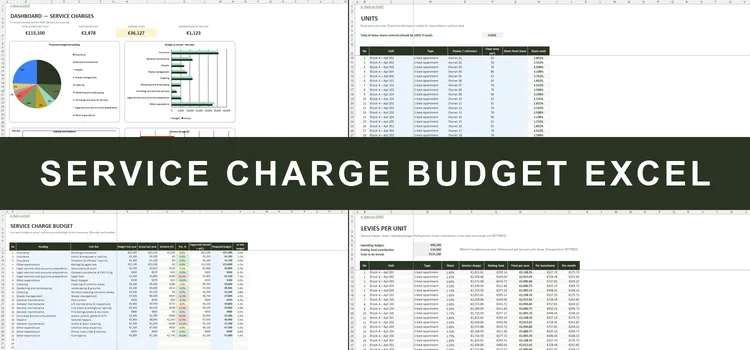
Service Charge Budget Excel
Budget, levies, arrears & sinking fund for OMCs
- Budget in the 9 categories of the MUD Act, vs actual
- Levy per unit from the lease share or floor area
- Arrears aged 0–30 / 31–60 / 61–90 / 90+ days
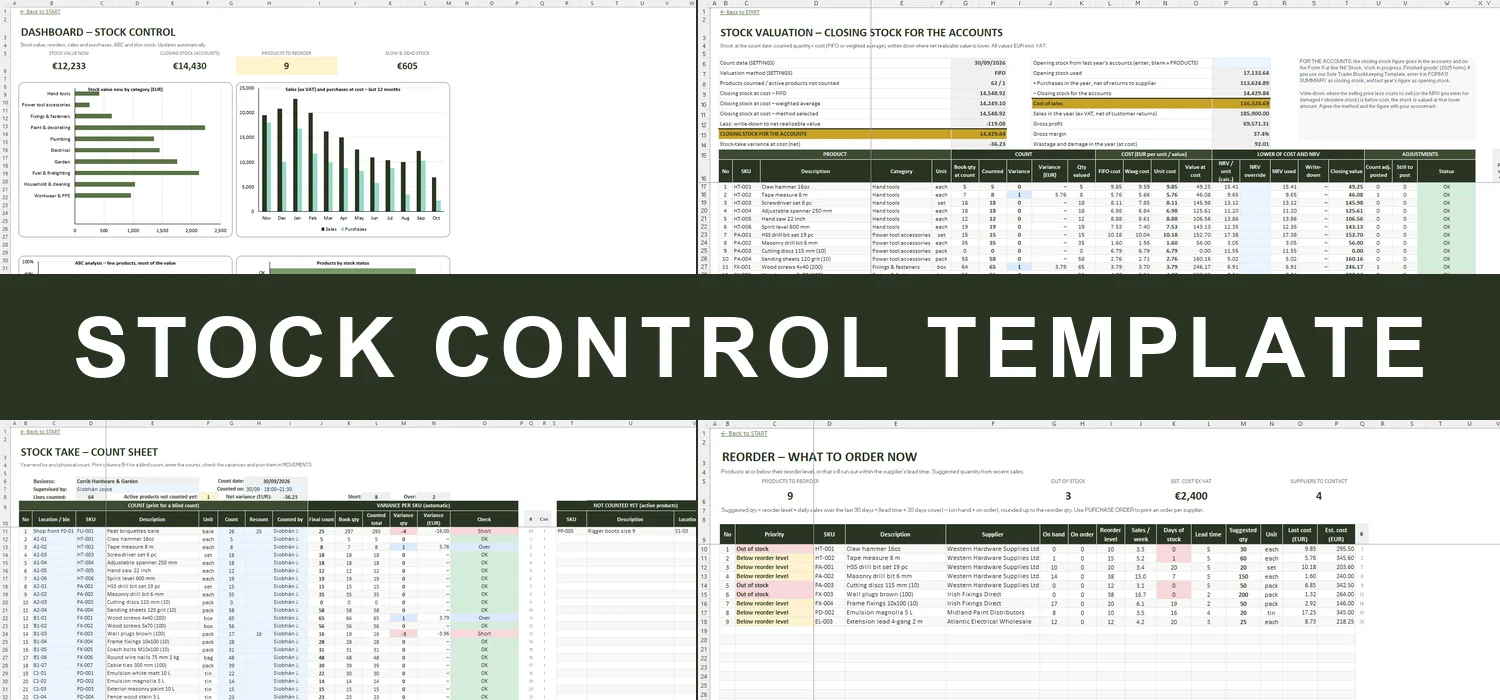
Stock on hand, reorders, year-end stock take and FIFO / weighted average valuation for Irish shops, distributors, cafés and workshops


Record what comes in and what goes out. The workbook keeps the stock on hand for every SKU, tells you what to reorder and how much, and turns your year-end count into a closing stock value your accountant can use.
In most small businesses the stock lives in somebody's head – until a best-seller runs out on a Saturday, a supplier delivery arrives that nobody remembers ordering, or the accountant asks for the closing stock figure and you spend a Sunday counting with a clipboard. Stock is often the biggest sum of money on the premises, and the one you know least about.
This workbook keeps it under control without stock software. PRODUCTS holds every SKU with its location, supplier, VAT rate and reorder level; MOVEMENTS records purchases, sales (one by one or as a till total), returns, adjustments and wastage. REORDER lists what to order now with a suggested quantity, and PURCHASE ORDER prints the order. At the year end, STOCK TAKE gives you a count sheet and the variance on every SKU, and VALUATION works out the closing stock at FIFO or weighted average cost – written down where something is worth less than it cost.
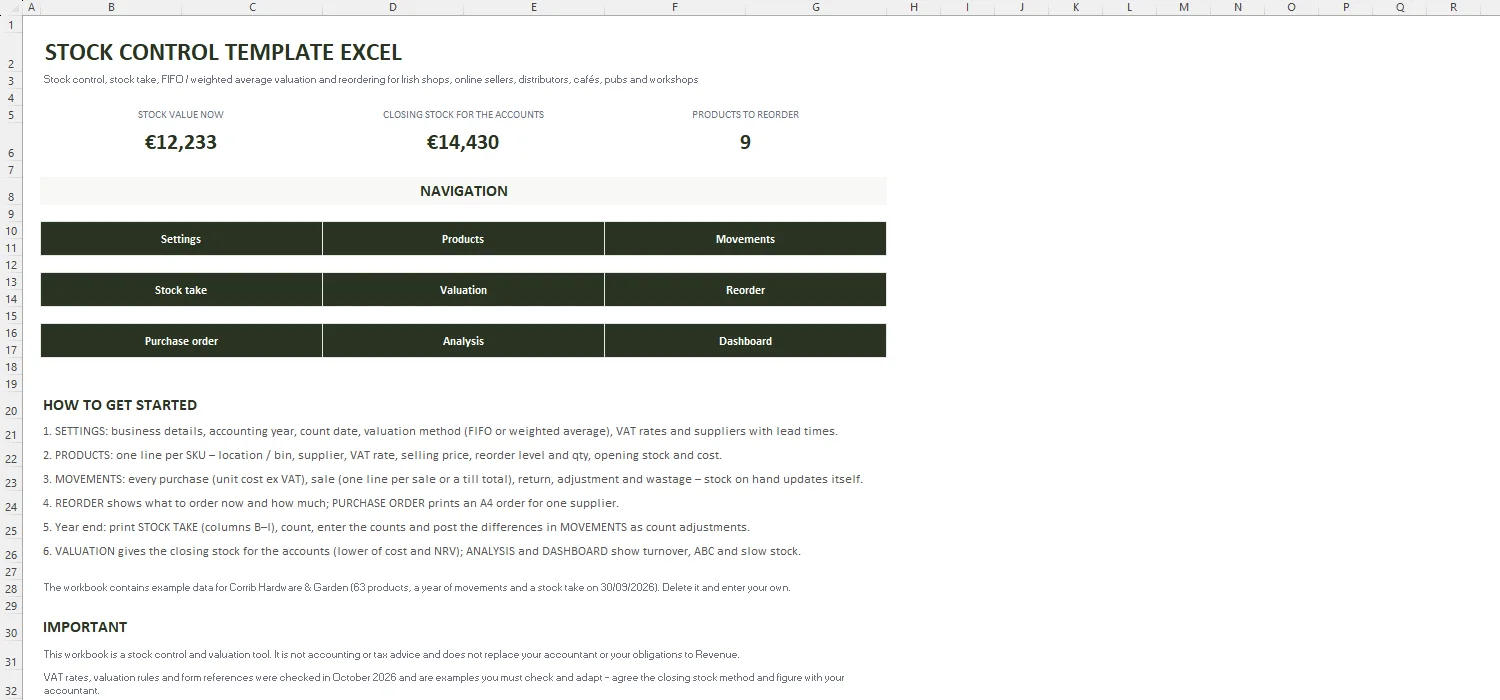
Key figures, quick links and a step-by-step guide.
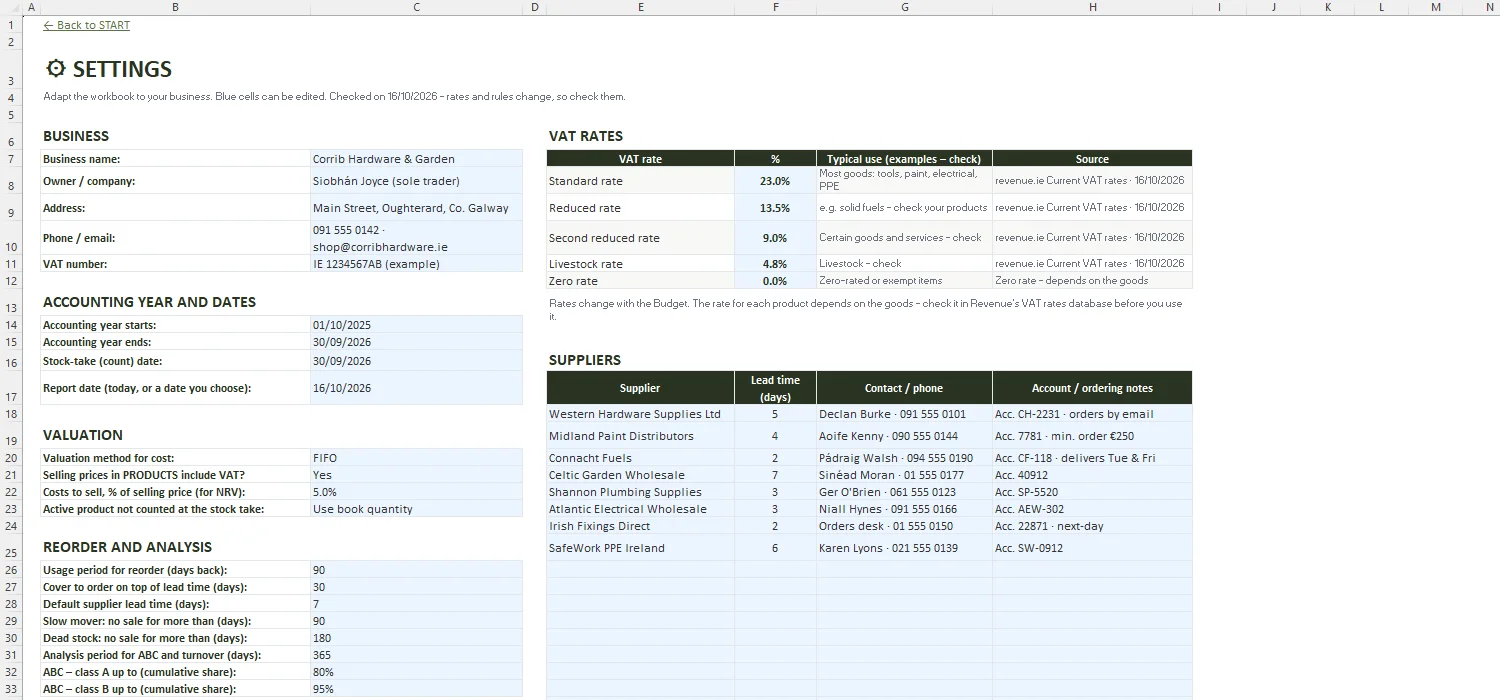
Business, accounting year, count date, valuation method, VAT rates (checked on revenue.ie), suppliers with lead times, categories, units and the reorder and analysis rules.
200 SKUs: category, unit, location, supplier, VAT rate, selling price, reorder level and quantity, on order and opening stock – with stock on hand, unit cost, value, margin, days of stock, ABC class and status.
2,000 lines: purchases with unit cost, sales (single or till totals, with trade prices), customer returns, returns to supplier, adjustments, wastage and count adjustments – with checks on every line.
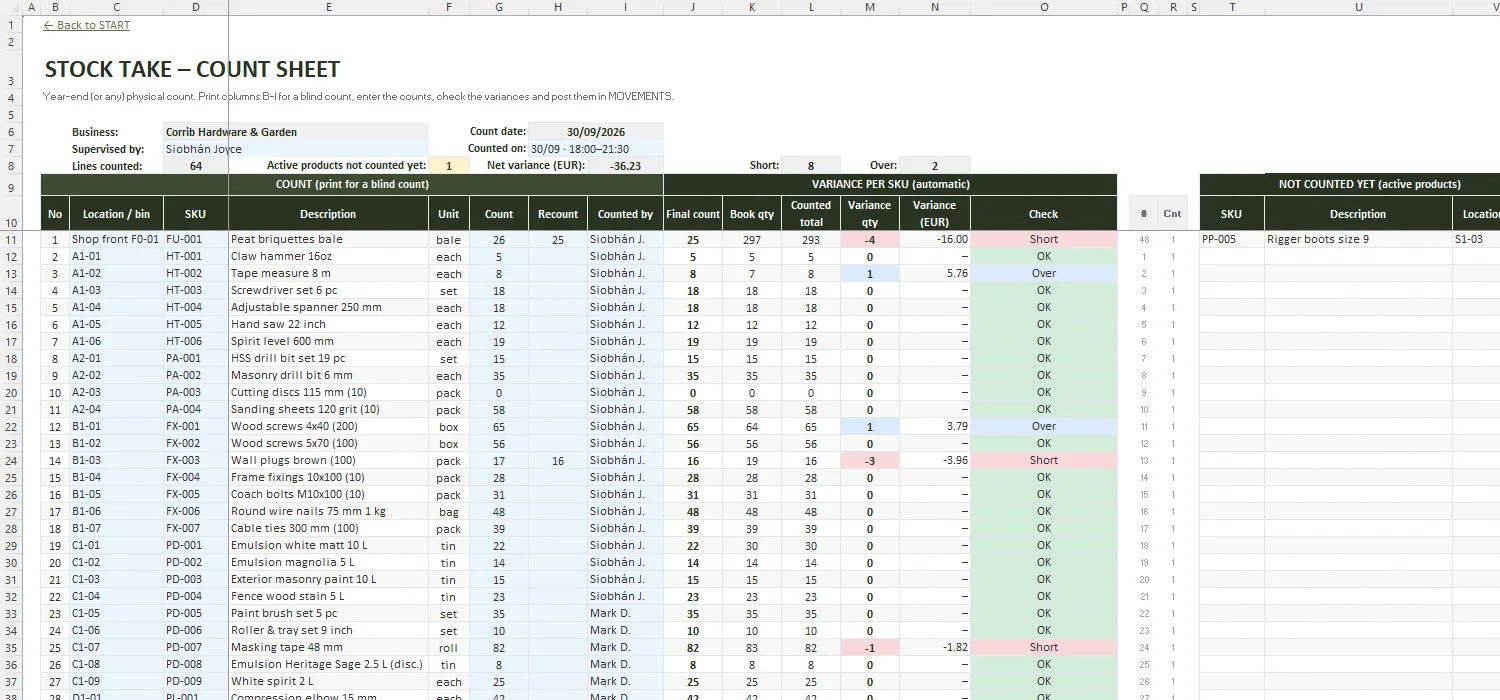
A4 count sheet (blind count print area), recount, counted by, final count, book quantity, variance in units and euro, and the list of products not counted yet.
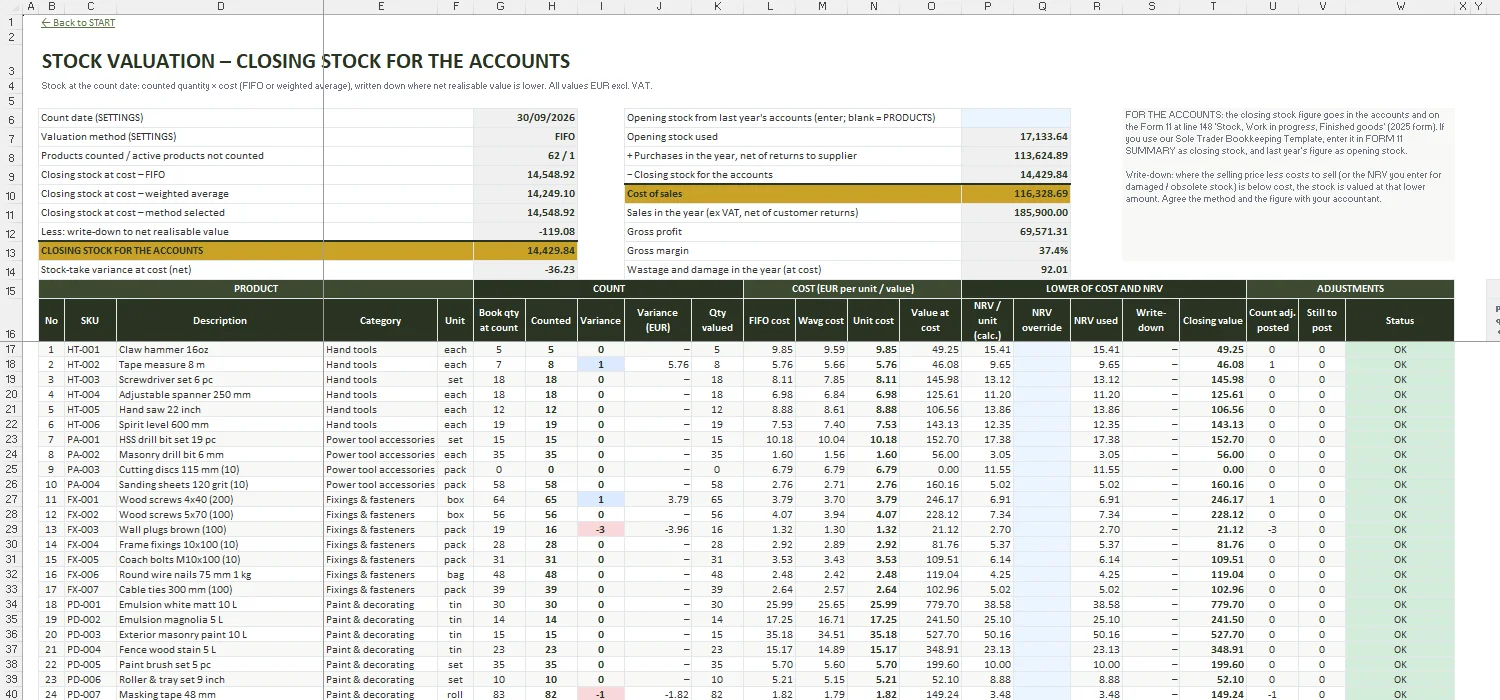
Closing stock at the count date: FIFO and weighted average, net realisable value write-down, closing stock for the accounts and a trading account with cost of sales and gross margin.
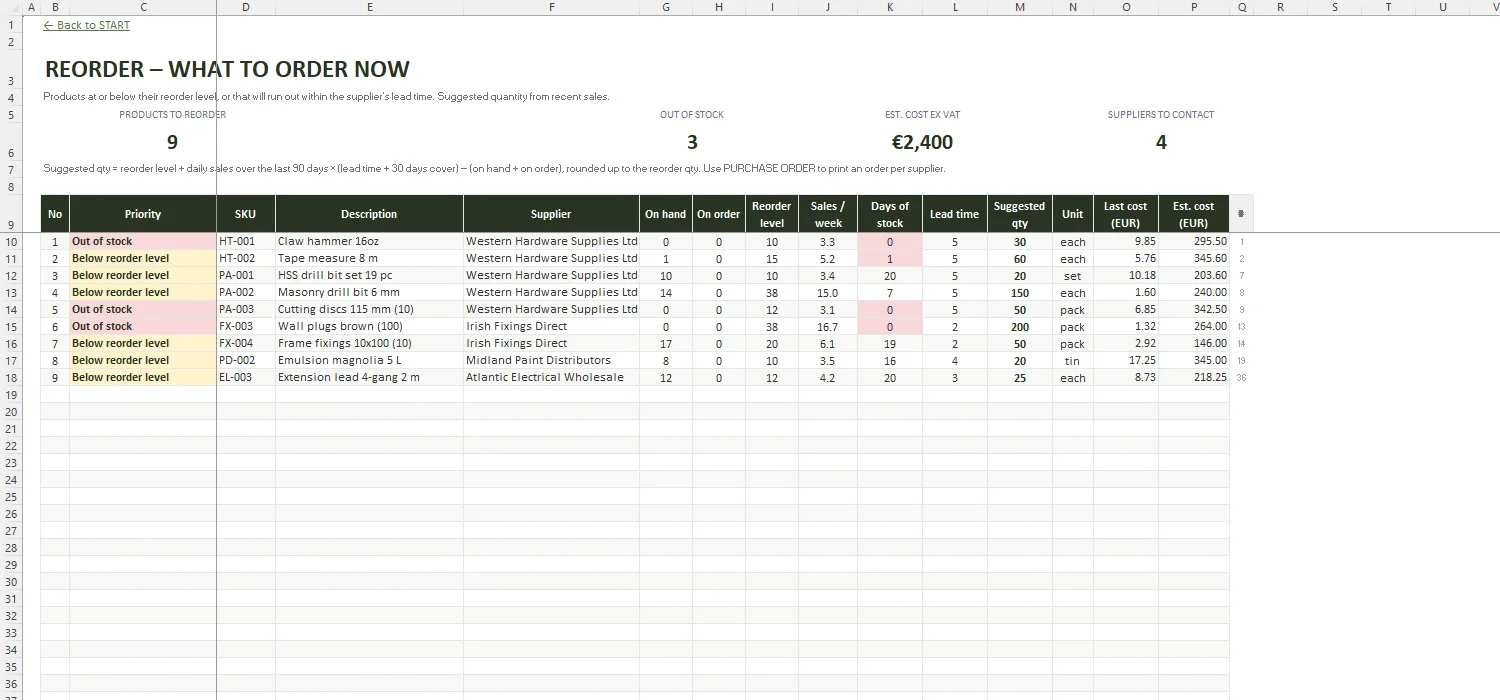
Products below their reorder level or running out within the lead time, with sales per week, days of stock, suggested quantity and estimated cost.
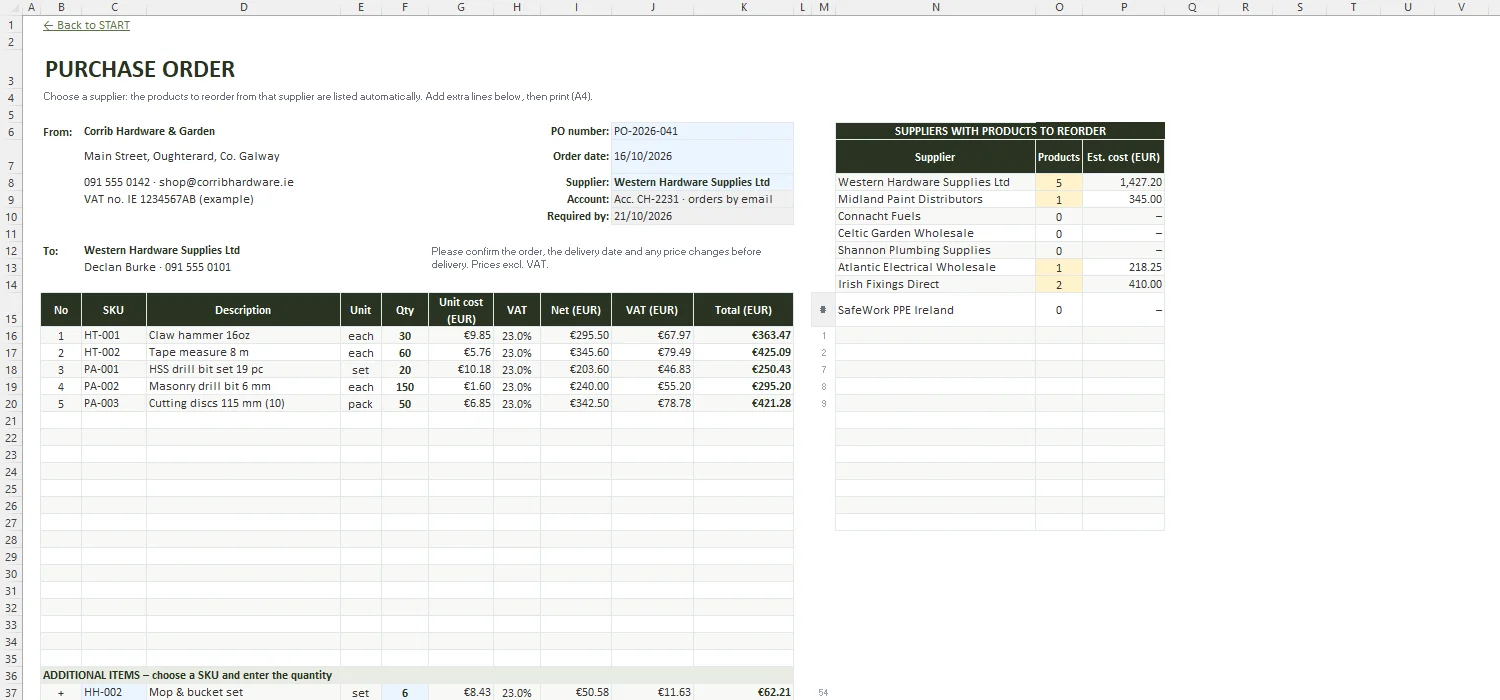
A4 order for one supplier: suggested lines filled in automatically, extra lines, VAT and totals, and a list of suppliers with products to reorder.
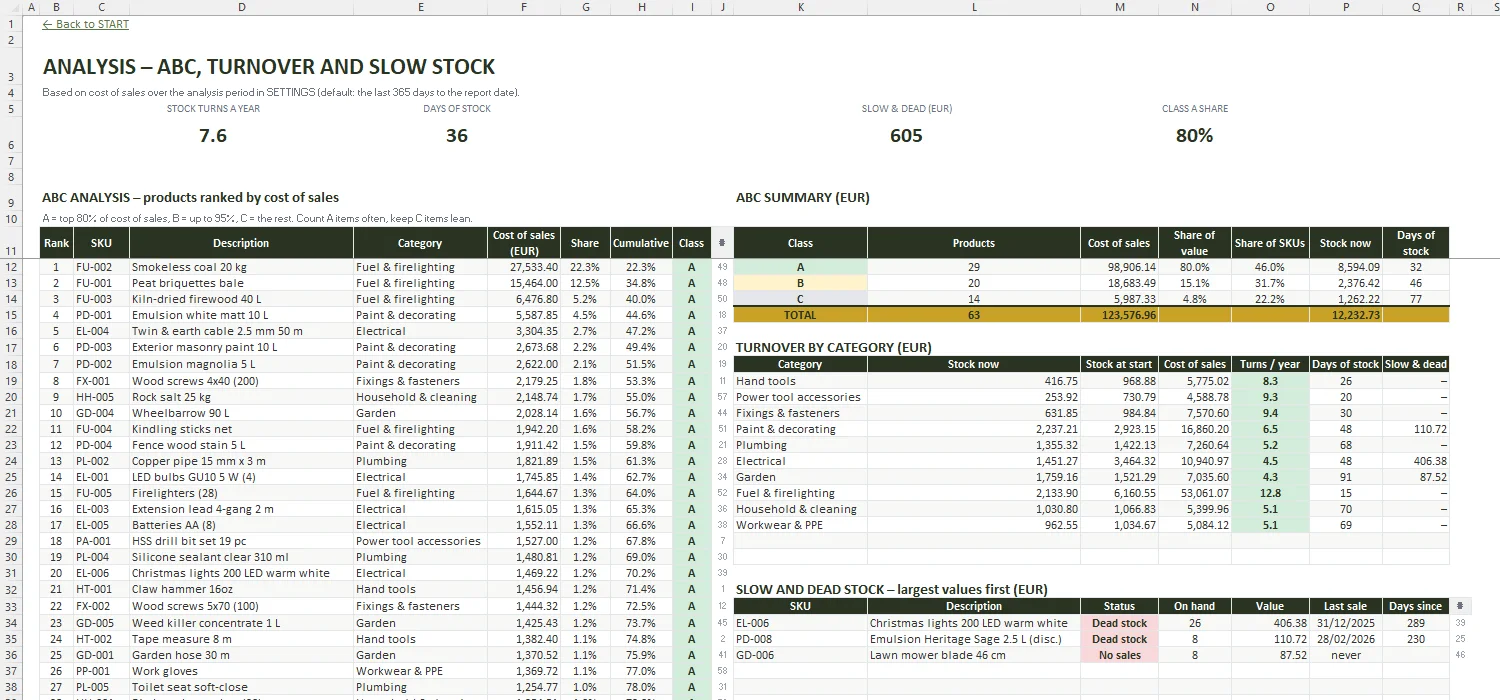
ABC analysis, turnover and days of stock by category, and slow and dead stock with the date of the last sale.
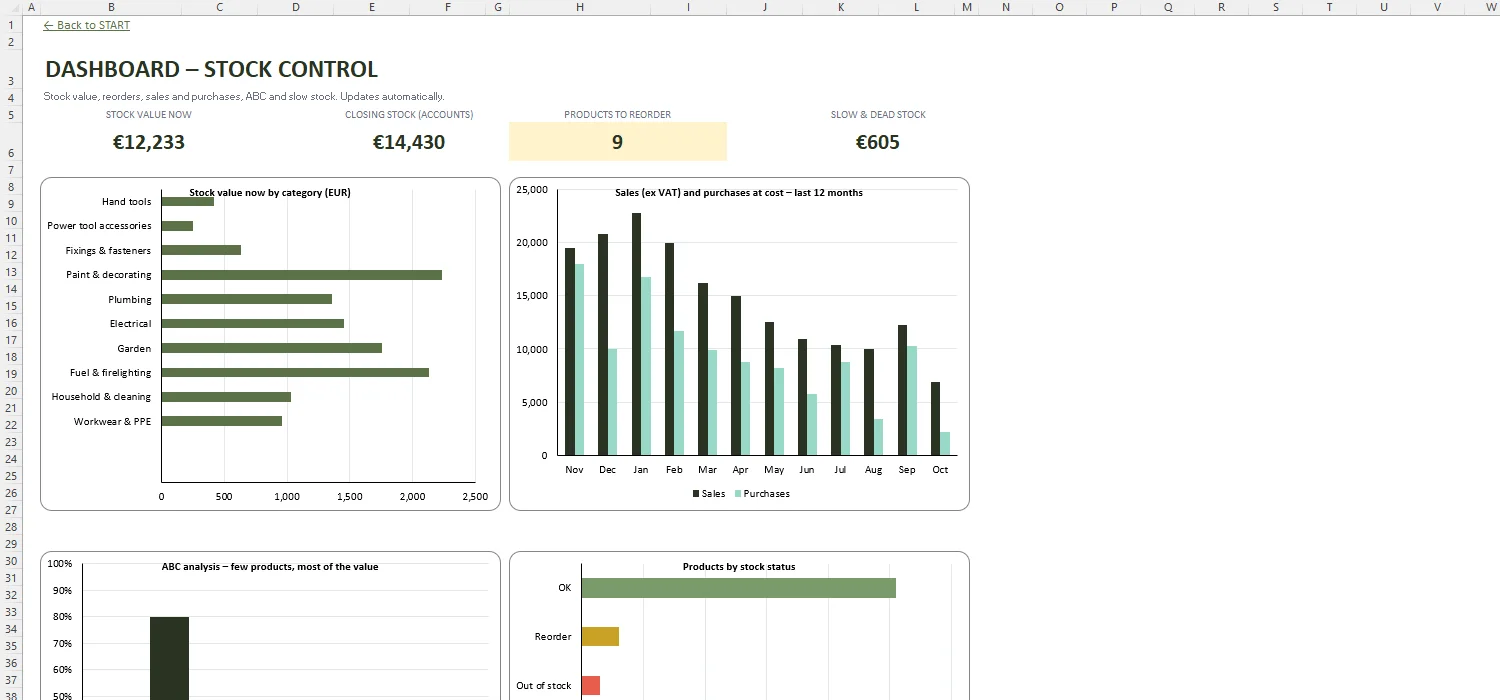
Stock value, closing stock, products to reorder and slow stock, with four charts.
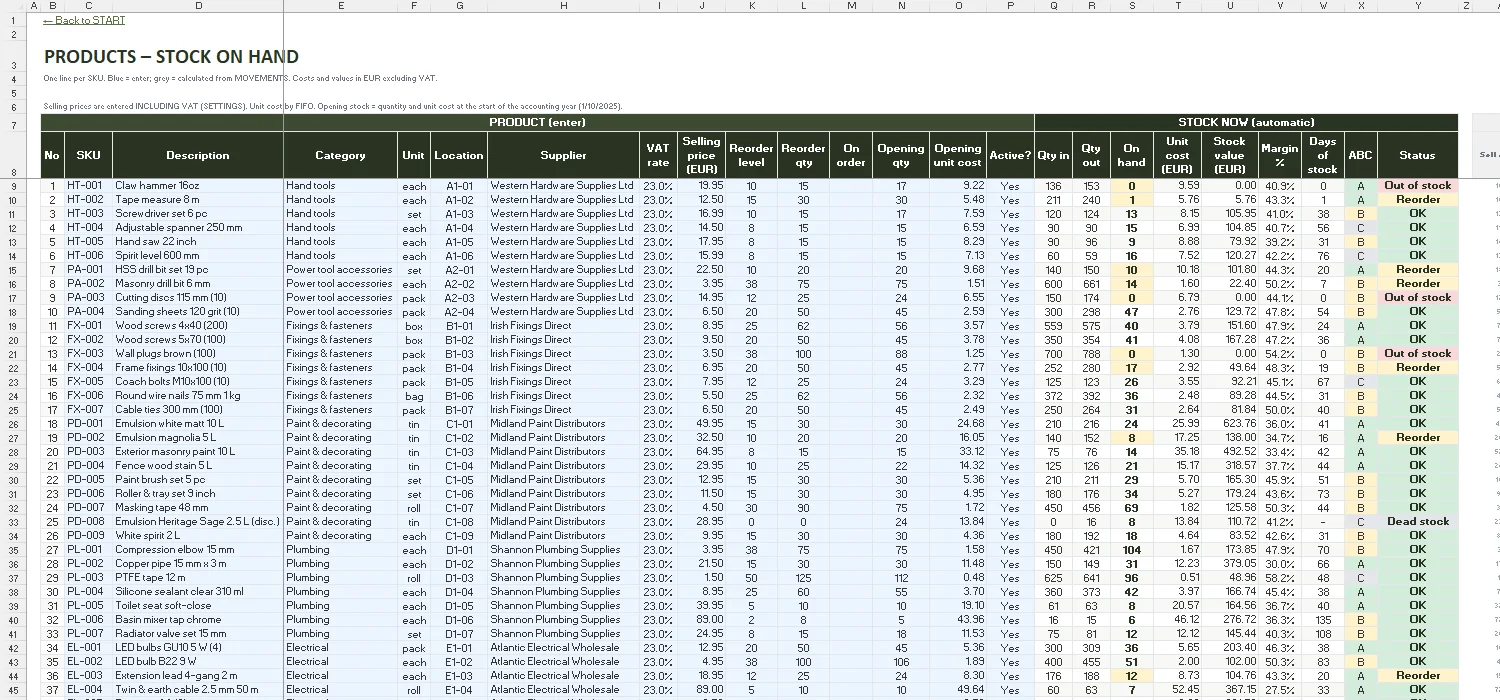
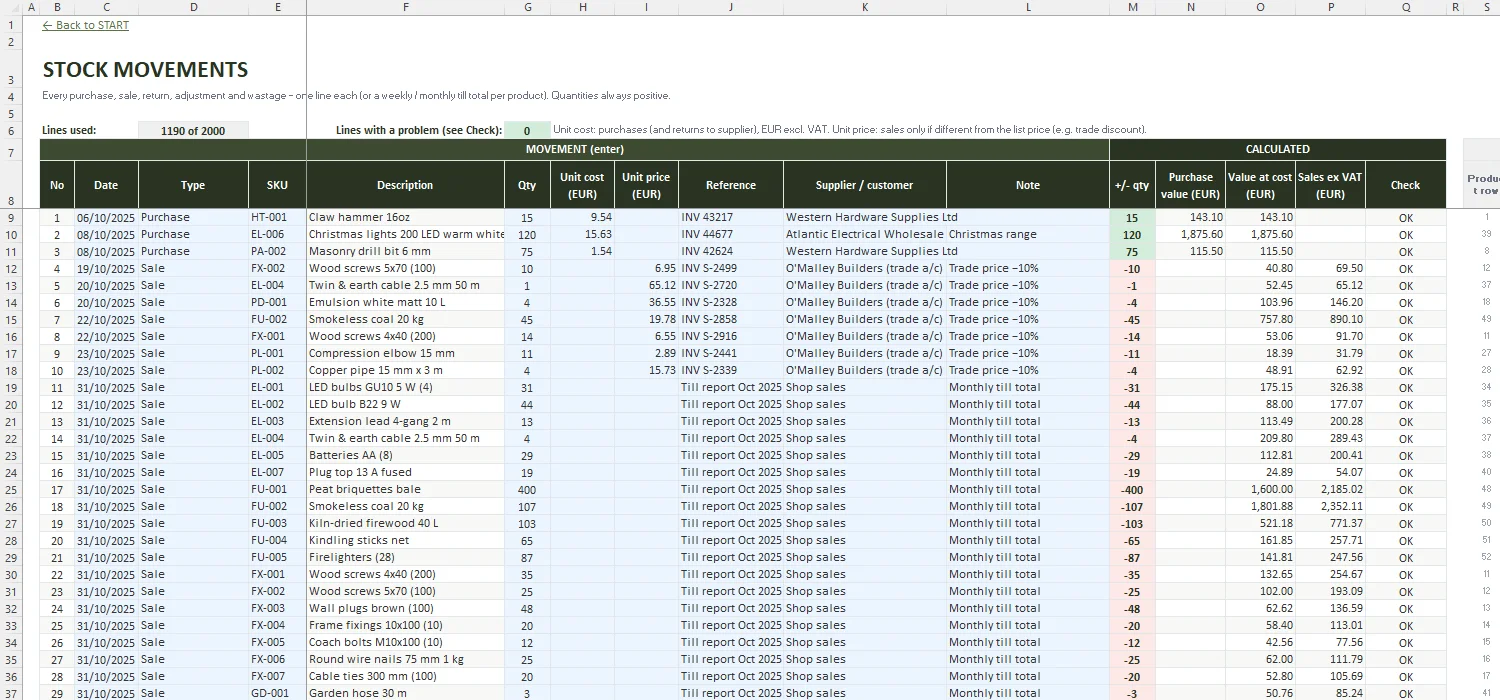
List every product once with a code (SKU), unit, location and reorder level, then record each movement – purchases, sales, returns and wastage – on a separate sheet and let formulas add them up per SKU. This template is already set up that way: PRODUCTS for the list, MOVEMENTS for the transactions, and the stock on hand, value and status are calculated for you.
Yes – Microsoft and several software companies offer free inventory lists. They are fine for a simple list, but most stop at quantities: no movements history, no reorder suggestion, no year-end stock take with variances and no FIFO or weighted average valuation for the accounts. That is what this workbook adds.
Pick a date (normally your year end), print the STOCK TAKE sheet in location order without the book quantities, count every location and enter the counts – with a recount where something looks wrong. The sheet shows the variance per SKU in units and euro and lists anything not counted yet. Post the differences in MOVEMENTS as count adjustments so your book stock matches the shelves again.
Accounts are normally prepared with stock at the lower of cost and net realisable value – what it cost, or what you can sell it for less the costs of selling, if that is lower. Cost is usually worked out on a FIFO or weighted average basis. VALUATION calculates both and lets you enter a lower value for damaged or obsolete stock. Agree the method with your accountant.
On the 2025 Form 11 it is line 148, 'Stock, Work in progress, Finished goods', in the Extracts from Accounts. If you also use our Sole Trader Bookkeeping Template, enter the closing stock in its FORM 11 SUMMARY – and last year's figure as opening stock.
Yes. Any business that buys goods and sells or uses them can use it: change the categories, units and suppliers in SETTINGS, enter sales one by one or as weekly or monthly totals from the till or the web shop, and use wastage for spoiled or broken stock.
Budget, levies, arrears & sinking fund for OMCs
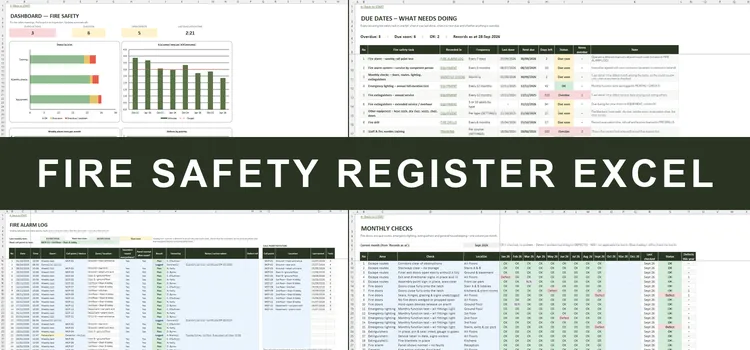
Fire safety log book with due-date alerts for Irish buildings
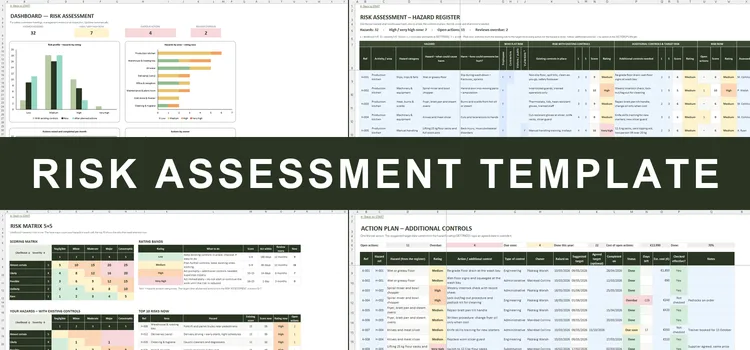
Hazard register, 5×5 risk matrix, action plan & Safety Statement checklist
Stock on hand, reorders, year-end stock take and FIFO / weighted average valuation for Irish shops, distributors, cafés and workshops · €59
A stock control template keeps your stock on hand up to date from purchases and sales, flags what needs reordering and shows what your stock is worth. This one works as an inventory spreadsheet template, a stock take sheet for the year-end count and a stock valuation tool with FIFO or weighted average cost.
Use it as a stock control spreadsheet for a shop or hardware store, an inventory template for an online seller, or a stock take template for a café or pub – with Irish VAT rates, a reorder report, an A4 purchase order and the closing stock figure for the accounts, in Excel, with no macros and no subscription.