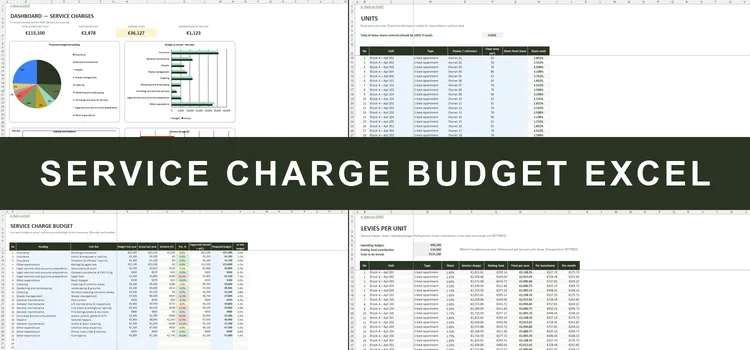
Service Charge Budget Excel
Budget, levies, arrears & sinking fund for OMCs
- Budget in the 9 categories of the MUD Act, vs actual
- Levy per unit from the lease share or floor area
- Arrears aged 0–30 / 31–60 / 61–90 / 90+ days
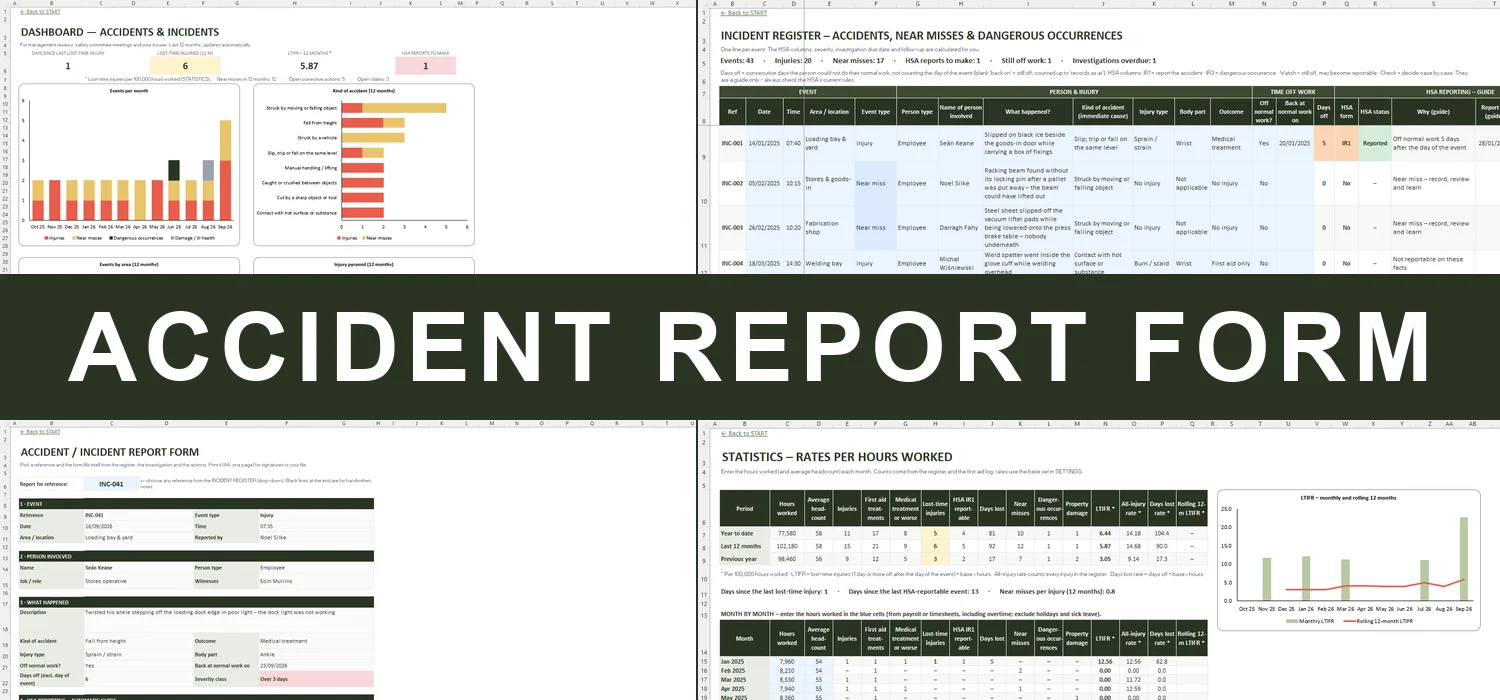
Accident & incident register with HSA IR1/IR3 guide, investigations and LTIFR


Record every accident, near miss and dangerous occurrence once – the workbook flags what may need an IR1 or IR3, when to report by, what still needs investigating and how your injury rates are trending.
Most accident books are a pad of forms in a drawer. When someone hurts their back on a Friday, nobody is quite sure whether the HSA needs to be told, by when, or who is checking that the new lifting rule was ever put in place. Months later the insurer asks for the details and the page can't be found.
This workbook turns the accident report form into a working register. Each event gets a line: who, where, what happened, the injury and the days off normal work. It then shows whether the case looks reportable to the HSA (IR1 or IR3), a 'report by' date, the severity class and the investigation due date. Investigations, corrective actions, the first aid log and insurance claims link back to the same reference, and a printable report form, statistics per 100,000 hours and a dashboard are ready for your safety committee or management review.
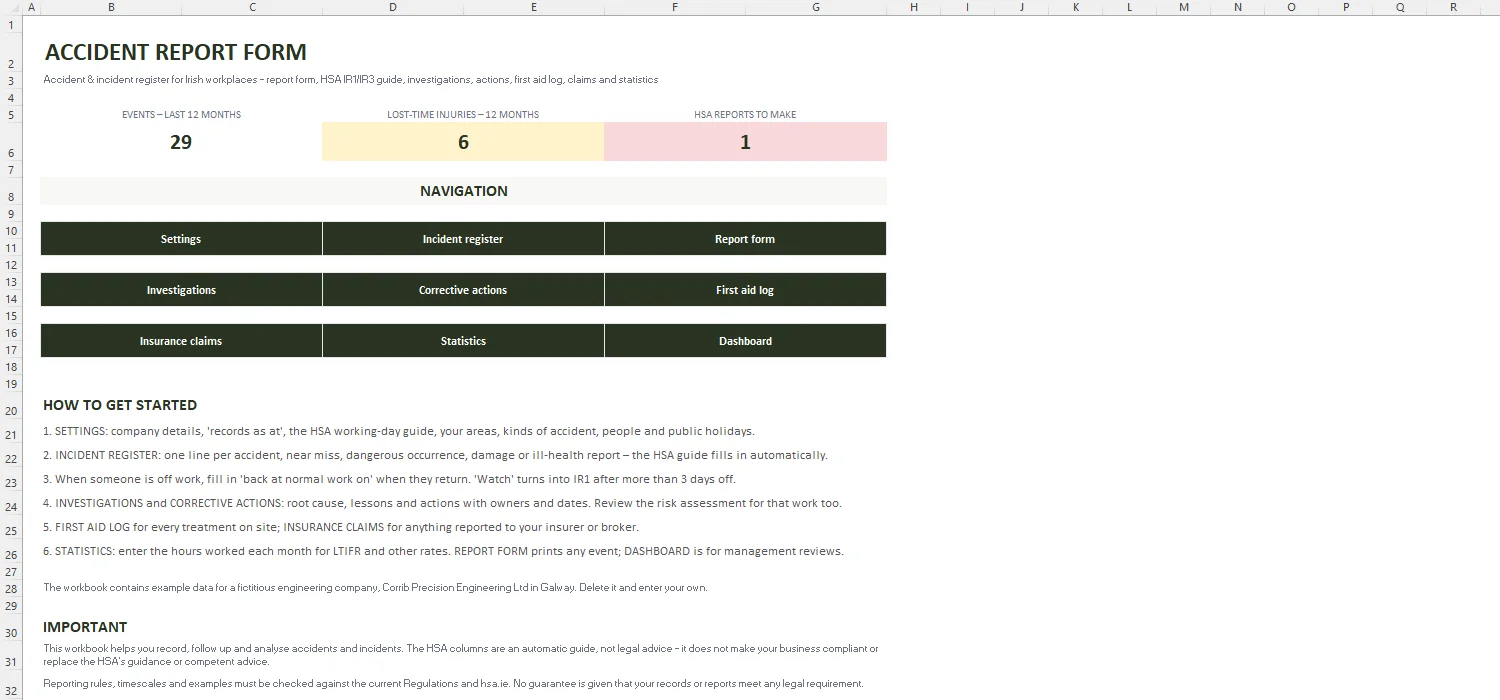
Key figures, quick links and a step-by-step guide.
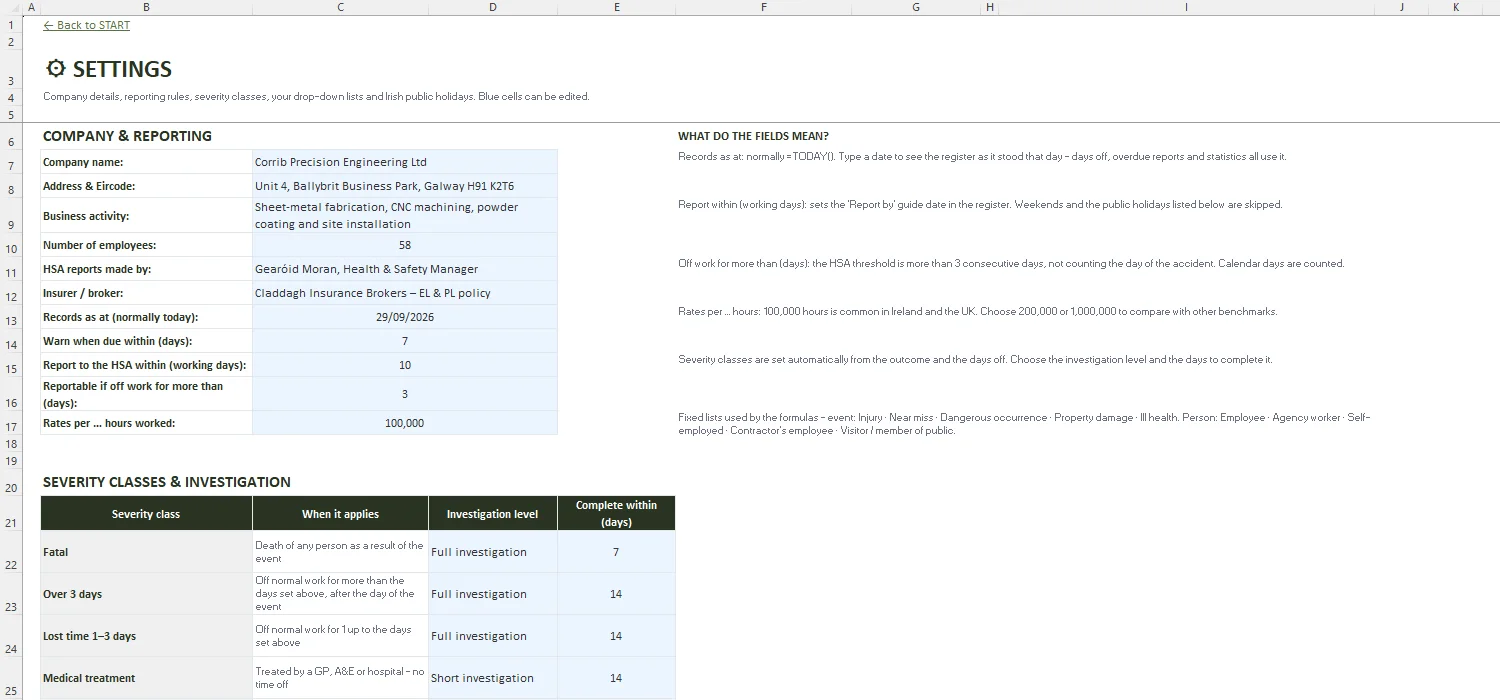
Company details, 'records as at', HSA working-day guide, severity classes, your lists and Irish public holidays.
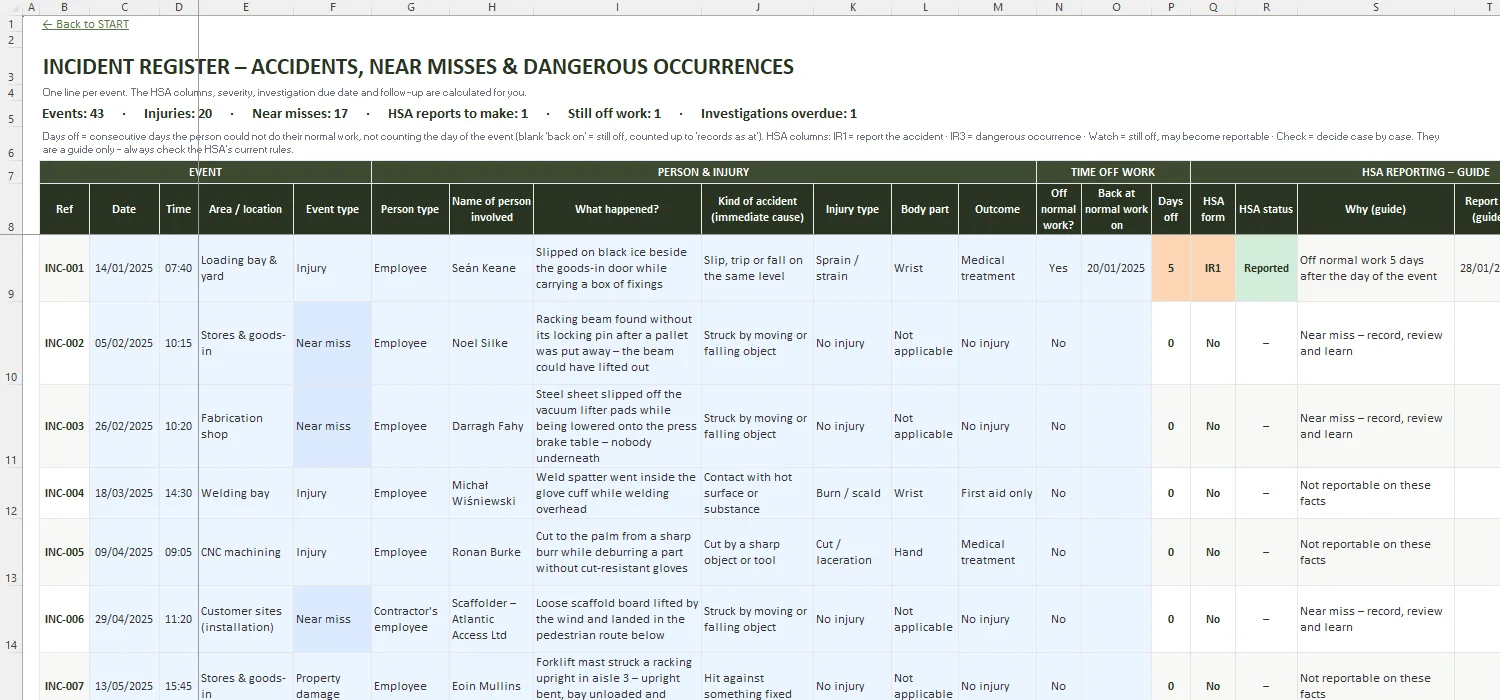
Every accident, near miss, dangerous occurrence, damage or ill-health report – with days off, HSA guide, severity and follow-up.
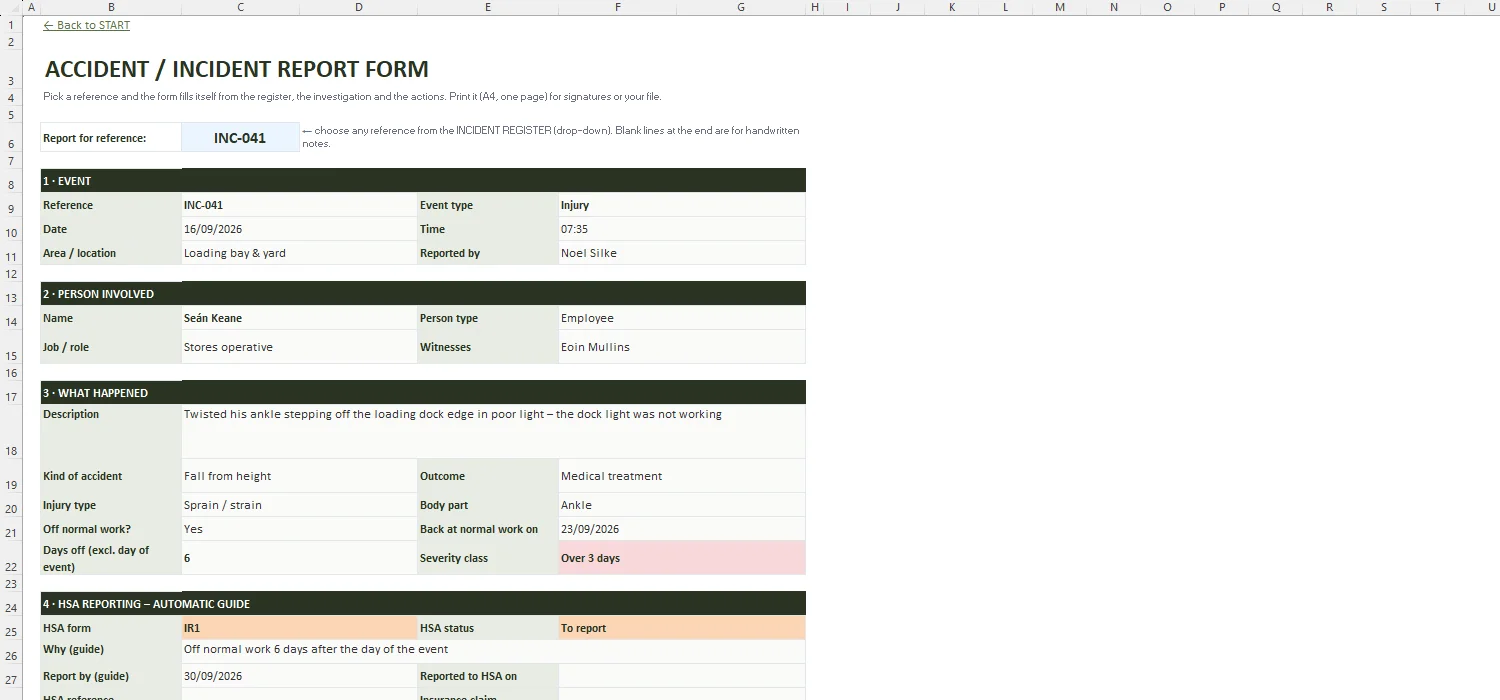
Printable accident / incident report form for any reference, filled in from the register, investigation and actions.
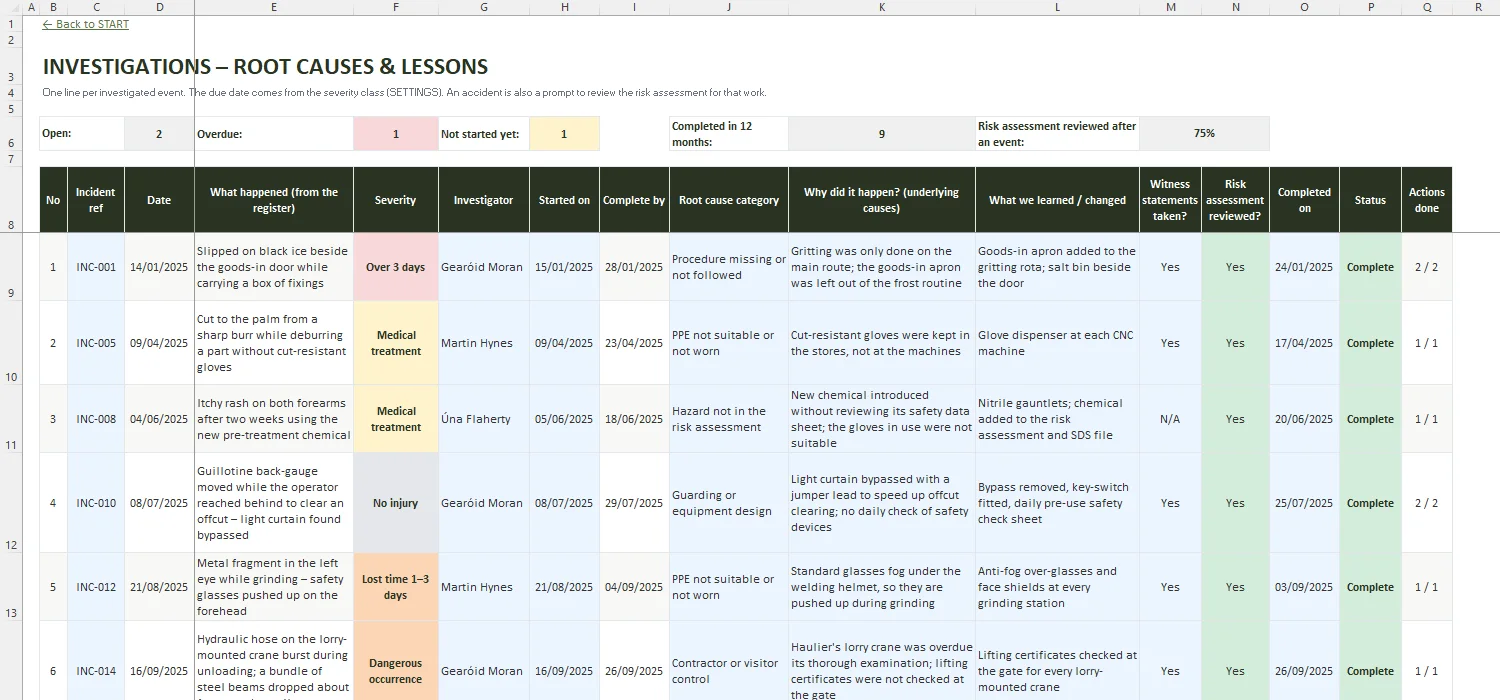
Investigator, due date, root cause, lessons learned, witness statements and whether the risk assessment was reviewed.
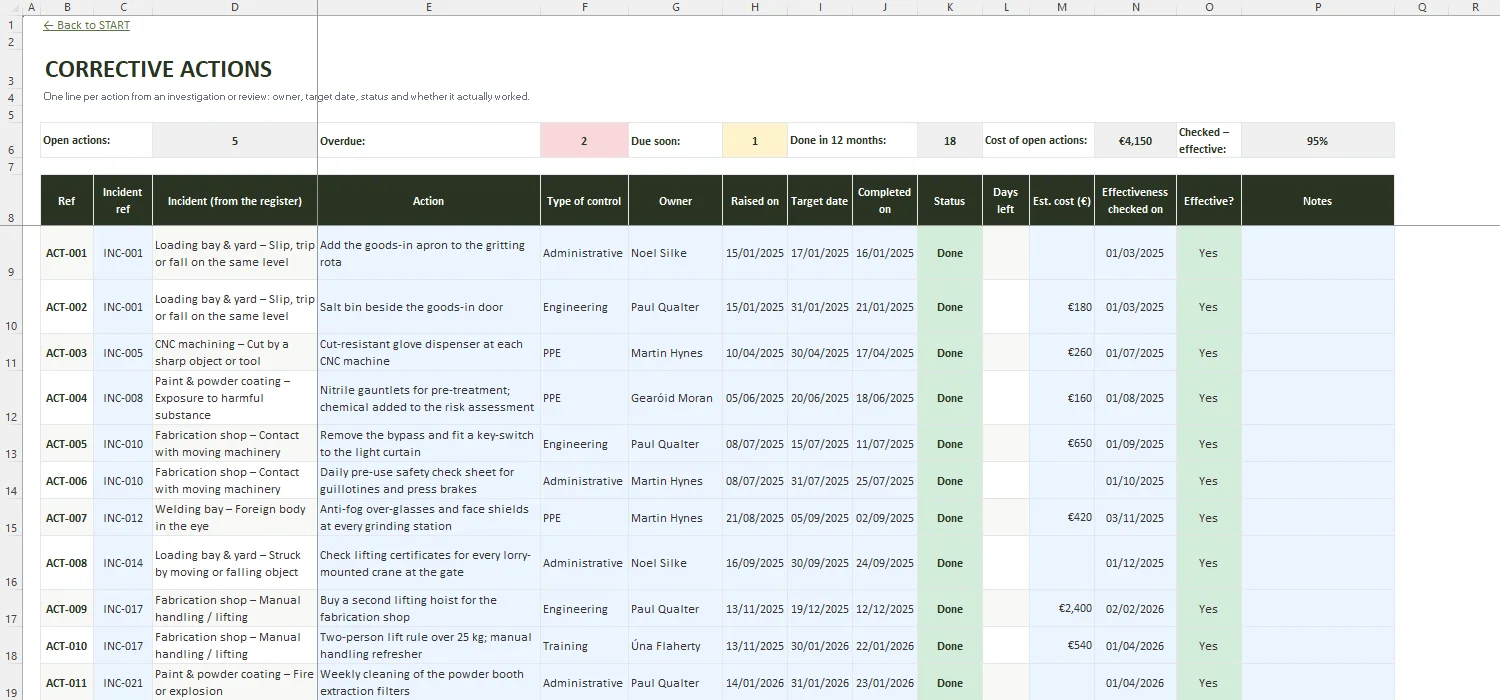
Owner, target date, status, cost and an effectiveness check for every action.
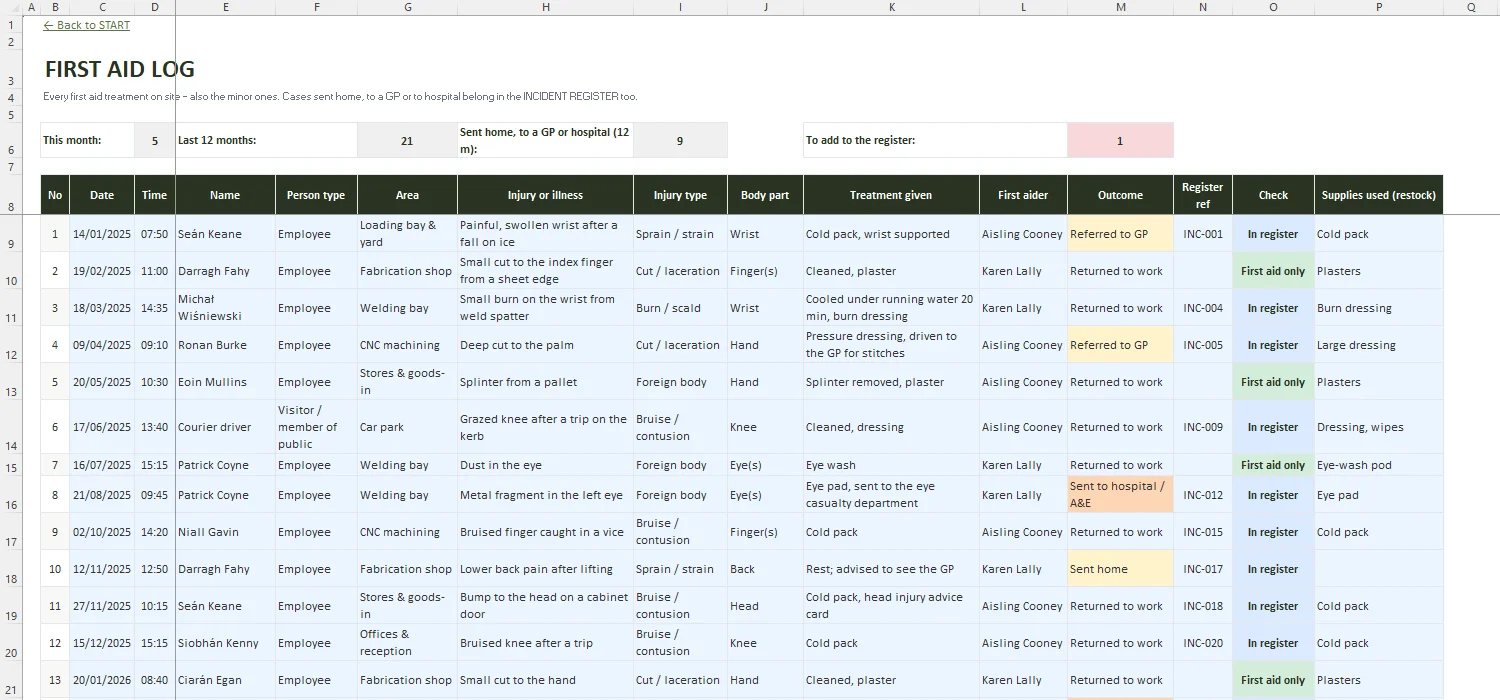
Every first aid treatment on site – flags cases sent home, to a GP or hospital that belong in the register.
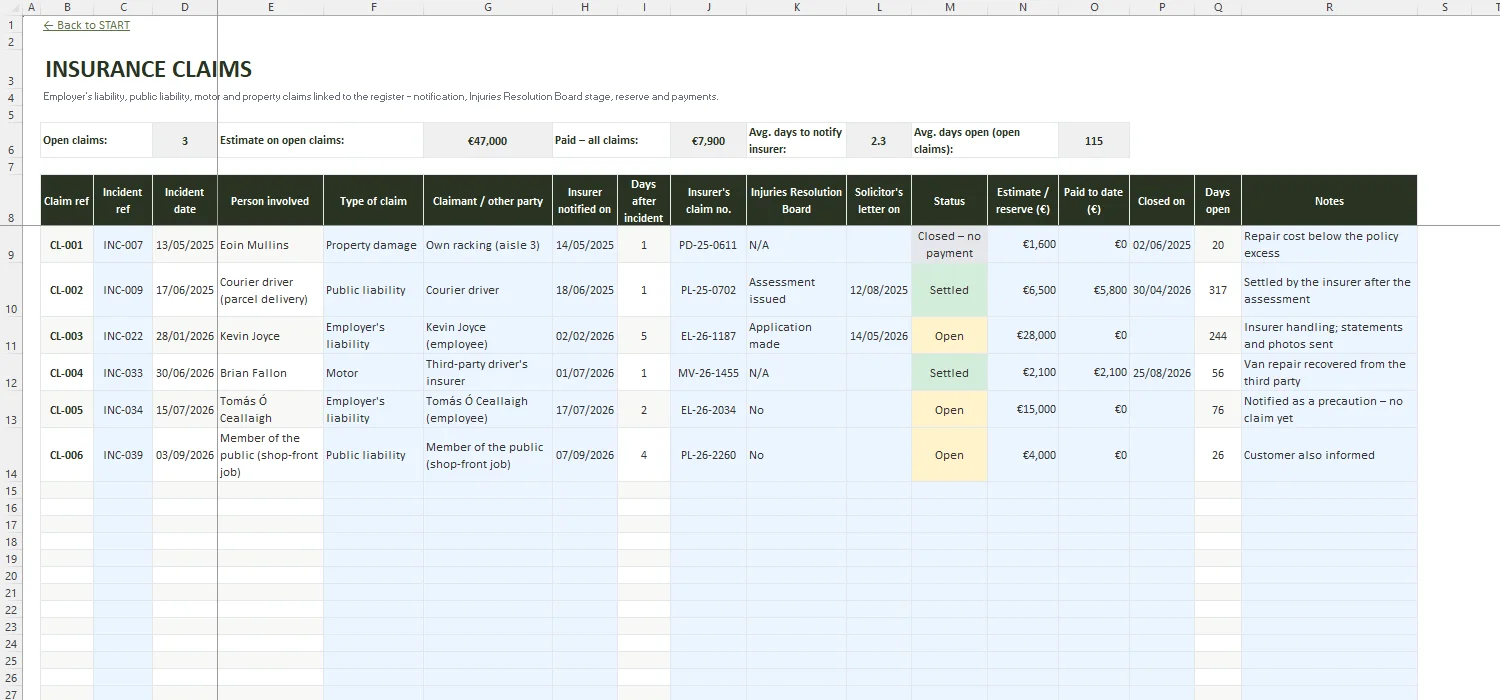
Employer's liability, public liability, motor and property claims – insurer notified, Injuries Resolution Board stage, reserve and payments.
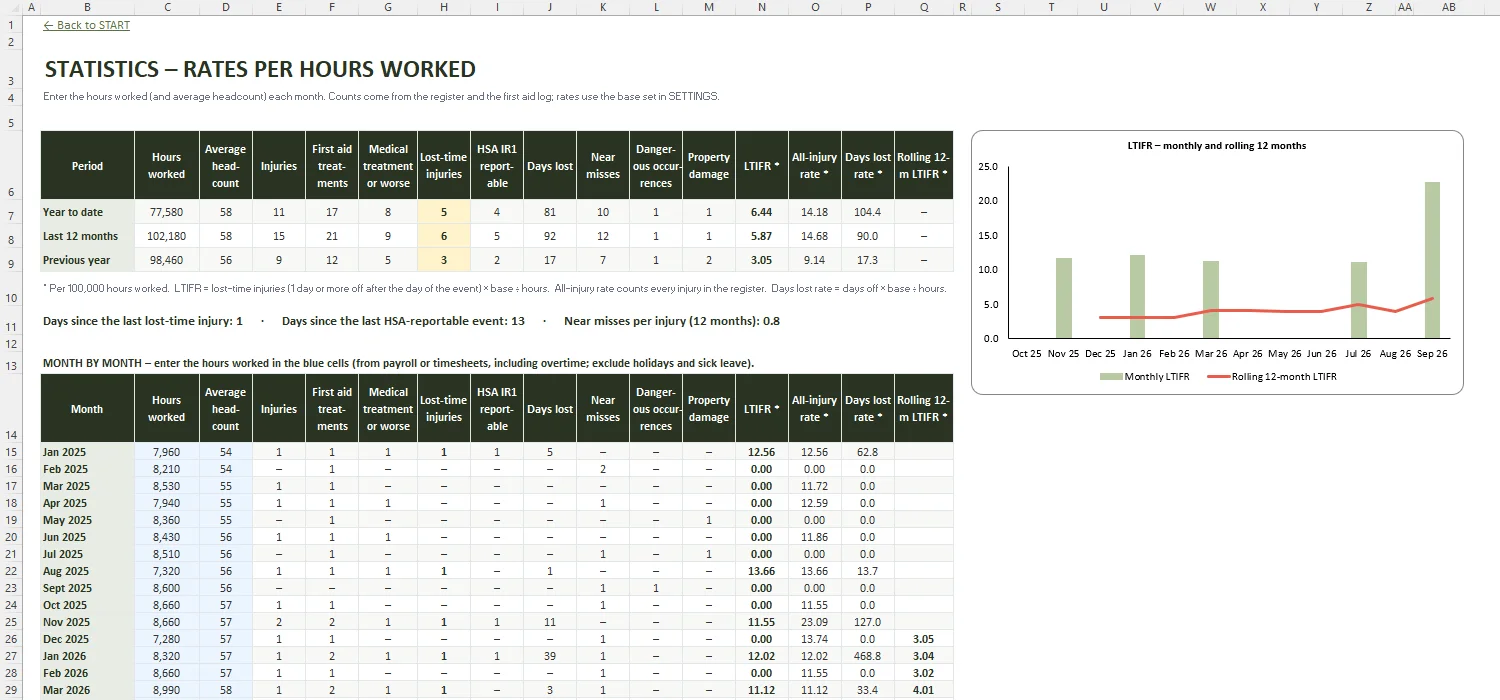
Hours worked per month → LTIFR, all-injury rate and days-lost rate per 100,000 hours, rolling 12 months.
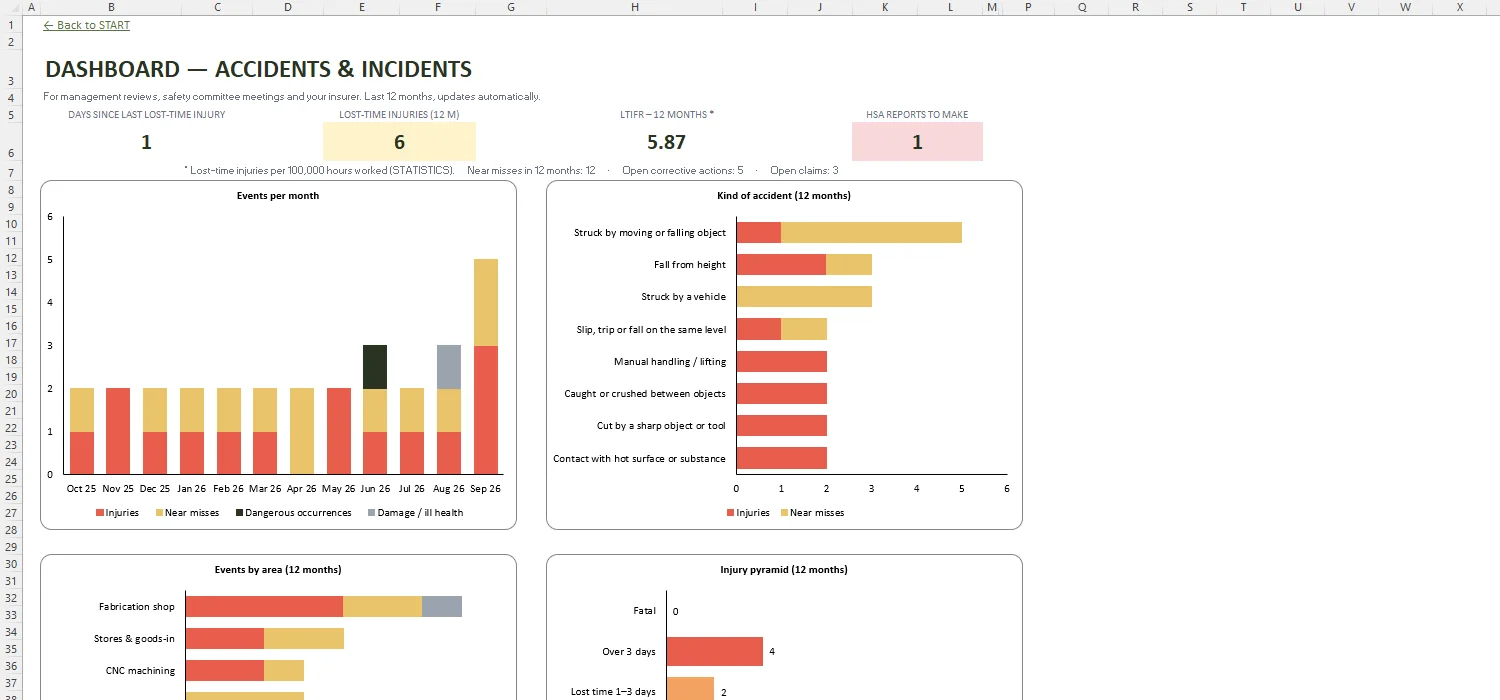
Events per month, kinds of accident, areas and the injury pyramid for the last 12 months.
In short: fatal accidents, accidents that stop an employee or self-employed person from doing their normal work for more than 3 consecutive days (not counting the day of the accident), accidents to people not at work that need medical treatment, and listed dangerous occurrences – even when nobody is hurt. The register flags these as IR1 or IR3 as a guide; always check the HSA's current guidance for your case.
Stick to the facts: date, time and exact place, who was involved and their role, what they were doing, what happened, the injury and body part, first aid or treatment given, witnesses and who reported it. Avoid guessing at blame – the causes belong in the investigation. The REPORT FORM sheet lays all of this out and fills it in from the register.
Usually the injured person's supervisor or the person who saw what happened, as soon as possible after the event – with input from the injured person and witnesses where they can give it. A manager or safety co-ordinator then reviews it, decides on the investigation and, where needed, makes the report to the HSA.
Reportable accidents are notified on form IR1 and dangerous occurrences on form IR3, normally online at hsa.ie; fatal accidents should be notified to the HSA or the Gardaí at once. The workbook gives a 'report by' date based on the working days you set (skipping Irish public holidays) and lets you record the date reported and the HSA reference.
Lost-time injury frequency rate = number of lost-time injuries × 100,000 ÷ hours worked. Enter the hours worked each month in STATISTICS and the workbook calculates the LTIFR, all-injury rate and days-lost rate for the year to date, the last 12 months, the previous year and a rolling 12-month trend. You can switch the base to 200,000 or 1,000,000 hours.
No. The HSA columns are an automatic guide based on what you enter – the person type, outcome and days off. Some cases (contractors, work-related ill health, unusual events) are marked 'Check' because they need a judgement. It is not legal advice and does not replace the HSA's guidance or competent advice.
Budget, levies, arrears & sinking fund for OMCs
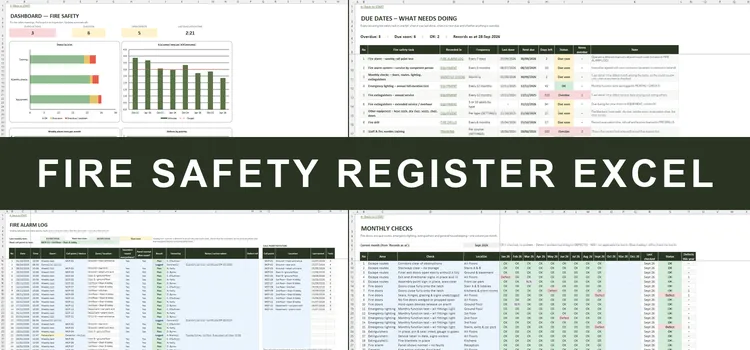
Fire safety log book with due-date alerts for Irish buildings
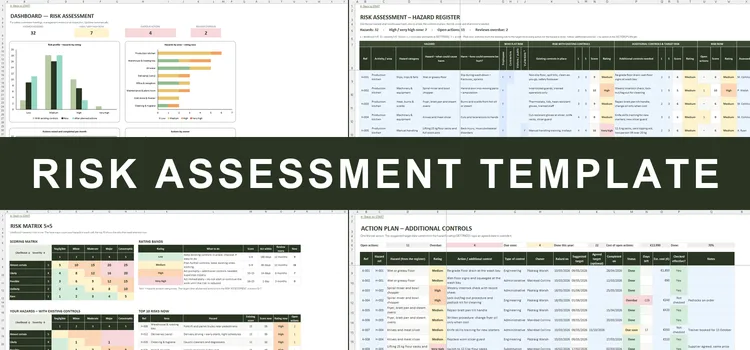
Hazard register, 5×5 risk matrix, action plan & Safety Statement checklist
Accident & incident register with HSA IR1/IR3 guide, investigations and LTIFR · €69
An accident report form records what happened, who was involved and what was done about it. This Excel version works as an accident book, incident register and near miss register in one: each event gets a line with the injury, the days off work and an automatic guide to HSA accident reporting – IR1 for accidents, IR3 for dangerous occurrences – with a 'report by' date.
Behind the incident report form sit investigations with root causes, corrective actions, a first aid log and insurance claims, plus statistics such as the lost-time injury frequency rate. It suits Irish construction firms, factories, shops, hotels and owners' management companies that want more than a free accident report form template in Word or PDF.